
Resurfacing: forgotten ideas that come back at the right time
This guide is for the CleverNote: Notes & Reminders app. Explore the other blog
The problem of memory that doesn’t use itself
You have a great idea, you note it. Two months later, it’s buried under dozens of other notes. You’ll probably have the same idea again, or you won’t and lose the opportunity.
This happens with any notes system: capturing is easy, reviewing is hard. Most notes never surface again.
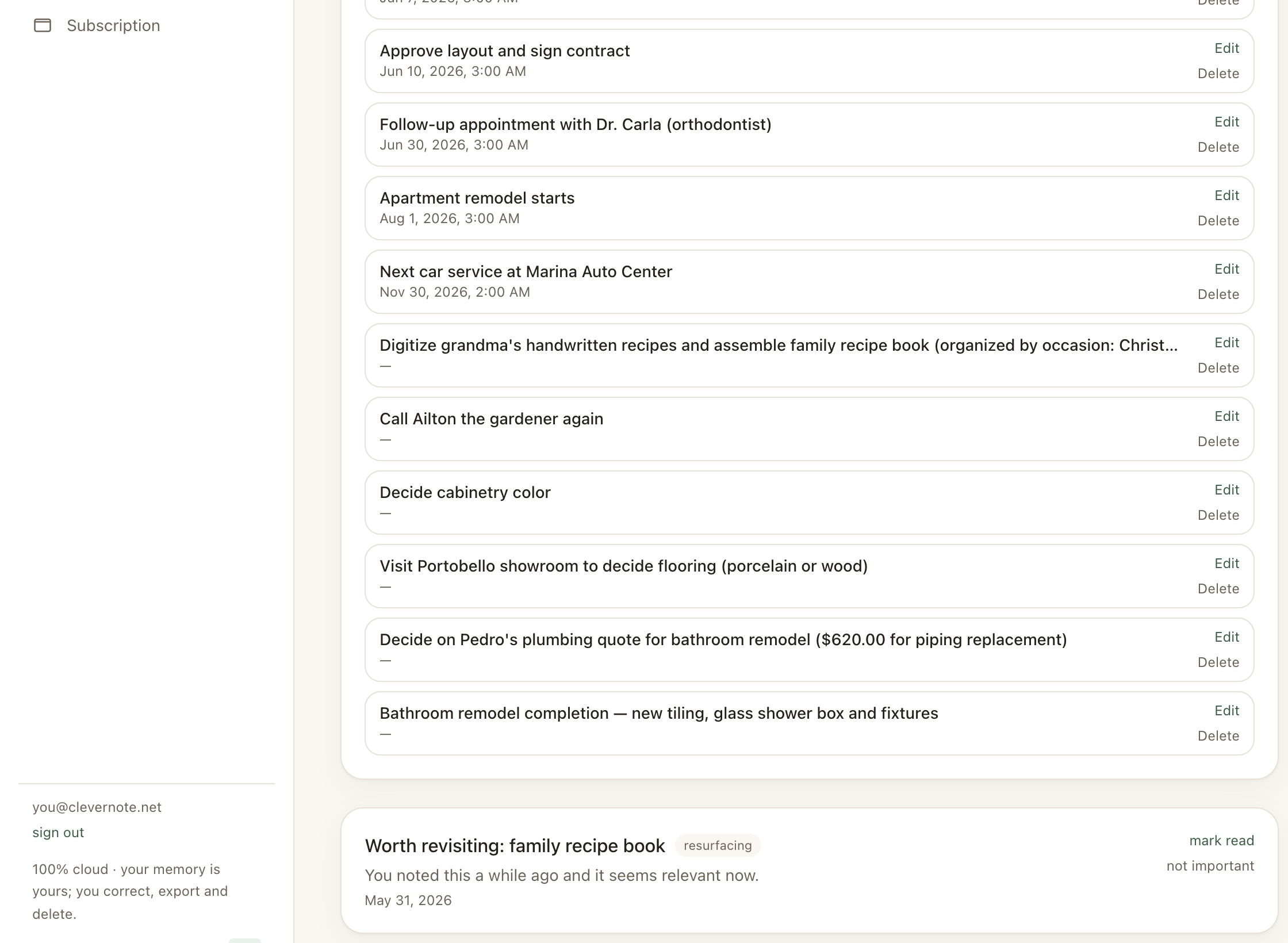
CleverNote’s resurfacing solves this automatically. The system identifies notes you captured, forgot, and that may be relevant now, and brings them back to your attention.
The intelligent filter: only what matters
The problem with naive resurfacing (randomly re-showing old notes) is noise: you don’t need to review the supermarket receipt from three months ago. This destroys the feature’s usefulness.
CleverNote uses an LLM judge to filter each candidate note before resurfacing:
- Is the note an idea, reflection, learning or useful information? Can resurface.
- Is the note a receipt, transaction log, confirmation or record of a past event? Does not resurface.
This filter ensures you only see things worth reviewing.
How it works in practice
CleverNote periodically runs a sweep of your archive:
- Takes the most recent note you captured and searches your archive for an older note related to it by meaning
- Passes the candidate through the LLM judge
- If approved, it’s queued as a resurfacing notification
- You receive the notification with the note’s title and an excerpt
When you see the resurfacing, there are two actions:
- Open → goes to the full note
- Not important (dismiss) → marks the notification as read and suppresses future resurfacing for that note (it won’t be suggested again)
Use case: the business idea that came back at the right time
You noted a product idea in January. In March, you’re talking to someone who would be an ideal partner for that idea, but you don’t remember you noted it.
With resurfacing, at some point between January and March the note would have resurfaced. You would have remembered the idea with time to develop it before the conversation.
That’s the real value: not finding what you’re looking for, but finding what you didn’t know you needed to remember.
The difference from reminders
Reminder = you define when you want to be notified about something specific.
Resurfacing = the system proactively decides that something old deserves your attention now, without you asking.
Both work together: notes with explicit dates generate reminders. Notes with ideas and no dates are candidates for resurfacing.
See also: Reminder extraction, Related notes, Recurring events
Frequently asked questions
- How does CleverNote decide what to resurface?
- An LLM judge evaluates each candidate note: is it an idea, reflection or useful information? Or is it a receipt, log or past event record? Only the first group resurfaces.
- Can I disable resurfacing for a specific note?
- Yes. On any resurfacing notification, there's a 'Not important' button. The note will never resurface again after that action.
- How often do notes resurface?
- There's a fixed per-user limit: at most one resurfacing every 12 hours, so it never gets noisy.
Try the app from this guide with your CleverNote account.
Open CleverNote: Notes & Reminders
CleverNote: Notes & Reminders
