
How CleverNote extracts people and service providers
This guide is for the CleverNote: Notes & Reminders app. Explore the other blog
A CRM that builds itself
Keeping an up-to-date contact list is work. You jot the electrician’s number on paper, the accountant’s email is buried in an old message, the doctor’s address is in a business card photo.
CleverNote eliminates this fragmentation by automatically extracting entities from everything you capture. The “CRM” builds itself as you use the system.
What is an entity
In CleverNote, an entity is any person or organization mentioned in your notes. It could be:
- A person: “Dr. Ana Lima, cardiologist”
- A service provider: “Smith Electric, license #12345”
- A supplier company: “Central Supermarket”
- A colleague or family member: “Peter, architect, recommended by Maria”
Each entity gets a record with name, category, emails, phones and address extracted from notes where it appears.
How extraction works
When a note goes through Tier-2 enrichment, CleverNote searches for mentions of people and organizations. For each mention found:
- Extracts name, role/category and contact info present in the note
- Checks if a similar entity already exists in the archive (deduplication by name similarity and context)
- If it exists, links the mention to the existing record and enriches with new information
- If not, creates a new record
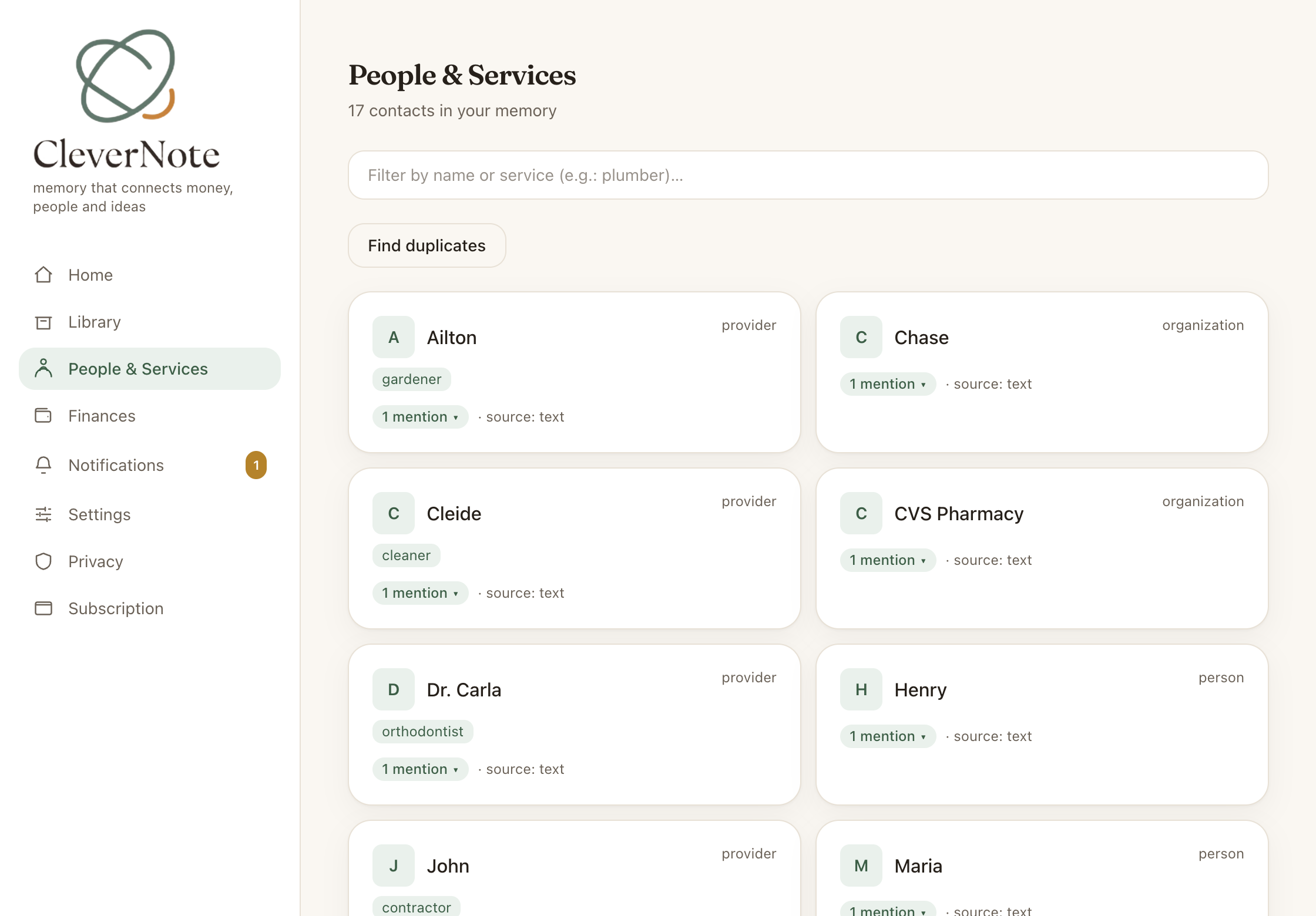
The result appears automatically in the People & Services section.
What you see in an entity profile
Clicking on an entity shows:
- Name and category: “Peter Oliveira, Architecture”
- Logo: inferred from the website or email domain (via Google favicon)
- Contacts: all emails, phones and addresses found in notes
- Total expenses: sum of expenses whose merchant matches this entity’s name (or an alias)
- Related notes: all notes where this person or company appears, in chronological order
- Aliases: alternative names you used for this entity
Deduplication and merging
Over time, you may accumulate duplicate records for the same person (especially with name variations: “Carlos,” “Carlos Silva,” “Carlos S.”).
CleverNote detects the duplicate pairs. When confidence is very high, the merge happens automatically. For the uncertain cases, it shows a review indicator so you can approve or dismiss. Either way:
- One record stays as primary (you choose in the review cases)
- The other becomes an alias of the primary
- All mentions are automatically redirected
- No information is lost
Use case: managing service providers
Electrician, plumber, painter, housekeeper: you rarely remember the number of who you called last time. With CleverNote:
- On the first visit, you note “Mark Turner, plumber, (555) 123-4567, $280, faucet replacement”
- The entity “Mark Turner” is created with category “Plumber” and the contact
- The $280 expense is linked to the record
- Next time, you ask: “who’s the plumber that serviced me?” and get the contact directly
No contacts app, no spreadsheet, no lost paper.
See also: Entity-scoped chat, Finance dashboard, Correcting AI extractions
Frequently asked questions
- Do I need to create contacts manually?
- No. CleverNote extracts entities automatically from all notes. If you mention a name, it appears in People & Services.
- What happens when the same person appears under slightly different names?
- The system detects potential duplicates. When confidence is very high, the merge is automatic. For the uncertain cases, it becomes a suggestion for you to approve or dismiss. After merging, all mentions point to the unified record.
- Can I see how much I've spent with a specific provider?
- Yes. Each entity's profile shows total expenses, summing the expenses whose merchant matches this entity's name (or an alias).
Try the app from this guide with your CleverNote account.
Open CleverNote: Notes & Reminders
CleverNote: Notes & Reminders
