Recurring goals: invest or save a set amount every month, with automatic reset
This guide is for CleverNote Finance: transactions, budgets and goals. Explore the other blog
The problem with a goal that never resets
A typical savings goal accumulates toward a number and stops there: save 12k for the December trip. But many financial objectives are recurring: invest 1k a month, save 200 a week, contribute 20k over the year. In a goal that only accumulates, these become an endless sum with no sense of “did I close out the month?”.
Recurring goals fix that. You state the intent in natural language and CleverNote Finance understands the cadence.
How to create one
In Finances, under the Plans tab, describe what you want:
invest 1k per month
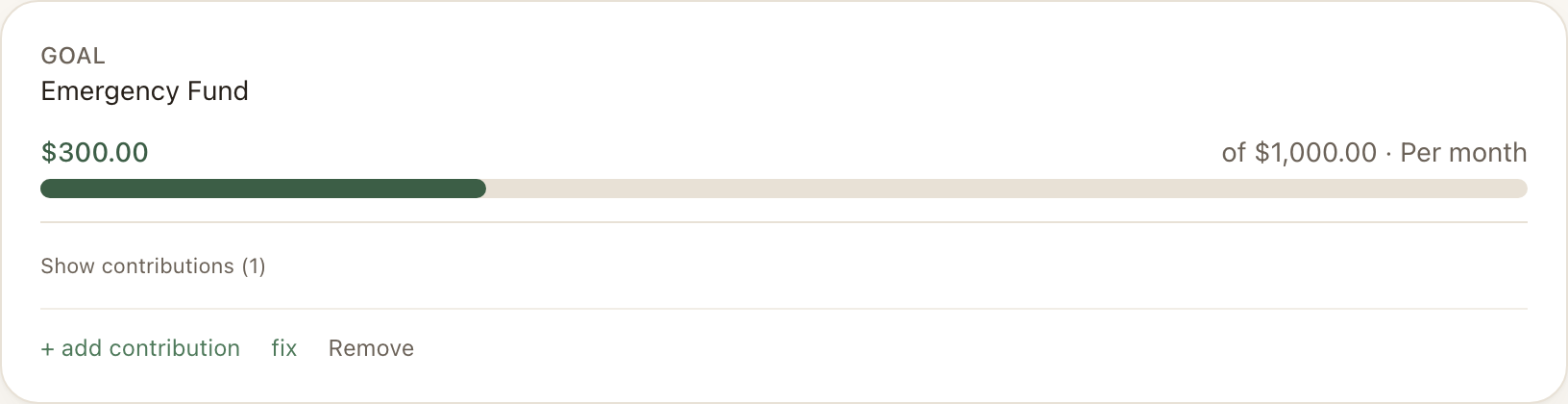
CleverNote Finance drafts a goal and infers the recurrence: monthly. The target (1k) becomes the per period amount, not a final total. You confirm or adjust the cadence (one time, weekly, monthly, yearly) before saving.
From then on, the goal bar shows only the current period. At the end of the month it resets and starts over, so you always see “how much have I contributed THIS month”.
The backfill: the goal is born with what you already did
Here is the part that saves work. When you generate the goal, CleverNote Finance scans the transactions in the cadence’s period (the current month for a monthly goal, the week for a weekly one, the year for a yearly one) and uses AI to identify which ones are contributions to that goal.
If you bought crypto at a broker or transferred to savings this month, those transactions show up as a candidate list right in the draft. You check the ones that count and they become contributions to the goal immediately. Nothing is added without your confirmation.
The window is not a fixed number of days: it is derived from the recurrence. A monthly goal looks at the month, a weekly one at the week, a yearly one at the year. It matches what the goal actually means.
Why this matters
Before, if you created the goal after already investing during the month, the investment did not count (the goal was born empty). Now the goal is born with the period already filled in by what you actually did, and keeps capturing the next contributions as you use the app.
Removing a plan
Changed your mind? Each plan card (budget or goal) has a Remove option at the top of the card. It deletes the plan and its history. Your financial transactions (the expenses and income derived from your notes) stay intact: a plan is a layer on top of your history, not the history itself.
Privacy
Like everything else in CleverNote Finance, plans and contributions stay isolated in your account. The AI processes your history to propose the goal and the candidates, but nothing is shared with third parties or used to train models. You review, confirm, and correct everything.
Recurring goals and backfill are available on the paid plan, on the web and in the app.
See also: Financial plans and budgets, Does it fit your budget?
Frequently asked questions
- What is the difference between a recurring goal and a one-time goal?
- A one-time goal accumulates forever toward an amount (for example, save 12k for a trip). A recurring goal has a target PER period (for example, invest 1k per month) and resets each period: in July it counts July's contributions, in August it starts over from zero.
- Do I have to log every contribution by hand?
- No. When you create the goal, CleverNote Finance scans the period's transactions (the current month, week, or year) and proposes the ones that look like contributions. You check the ones that apply and they go into the goal. After that, new matching transactions are picked up automatically as you capture them.
- Can I remove a plan I no longer want?
- Yes. Each plan card has a Remove option. The plan and its history go away; your financial transactions stay intact.
Try the app from this guide with your CleverNote account.
Open CleverNote Finance
CleverNote Finance