
Does it fit your budget? CleverNote Finance now answers with real math
This guide is for CleverNote Finance: transactions, budgets and goals. Explore the other blog
The question every plan hides
Creating a goal is easy. Knowing whether it fits your life is another story. “I want to save 12k by December” only becomes a real plan when someone does the math: how much per month, with what left over, and how much slack.
CleverNote Finance now does that math. In Planning, open the panel: Worth it?
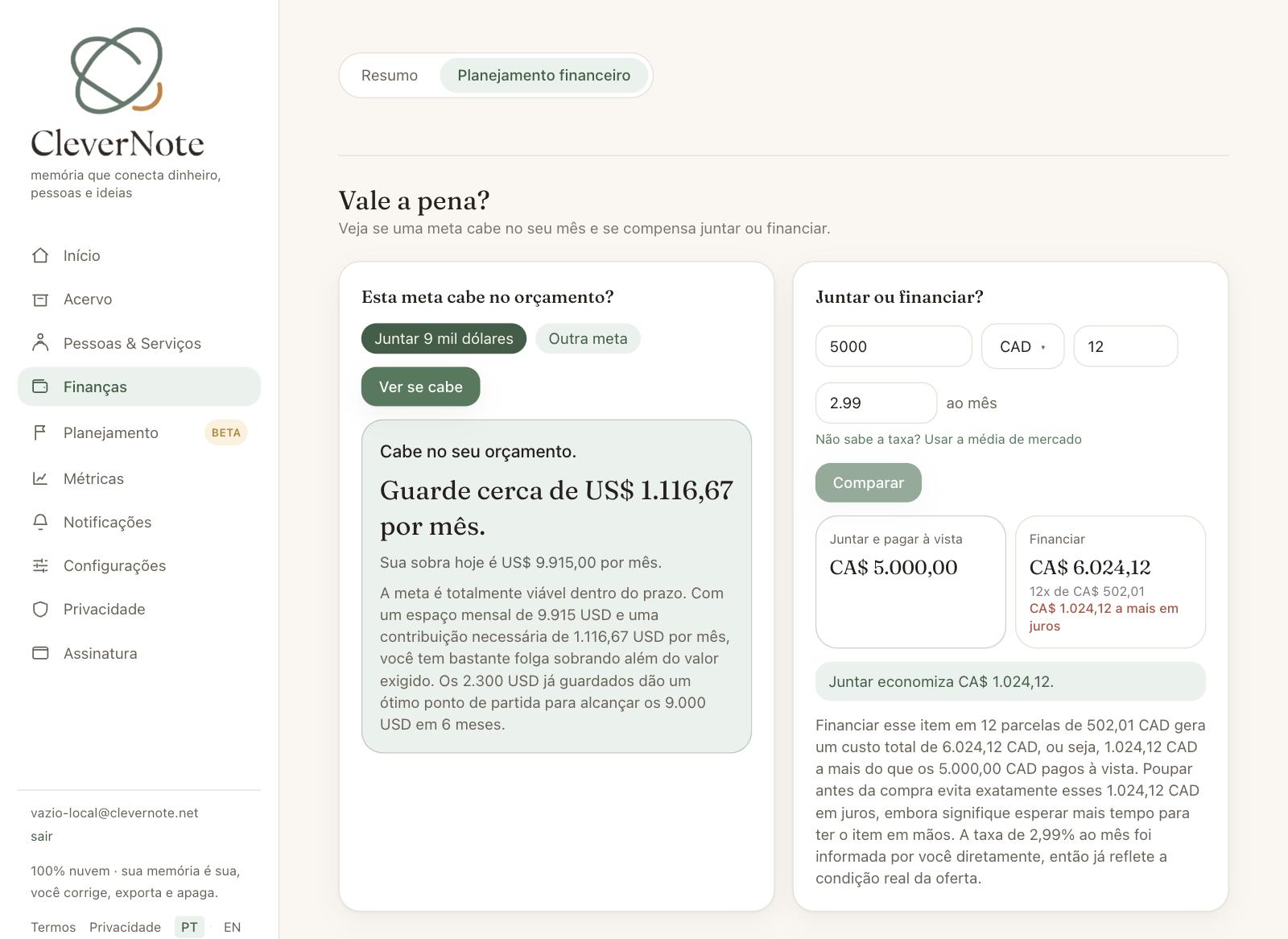
Does this goal fit your budget?
Pick a goal you already have (or type a new one: amount, currency and deadline) and CleverNote Finance answers with a direct verdict: “This fits your budget.”, “It fits, but it is tight.” or “It does not fit today, and that is good to know.”. With it comes the number that matters: how much to set aside each month, side by side with the real room in your profile (income minus fixed costs minus what is already committed to other goals).
No deadline? It flips the question and shows how long it takes to get there at your pace.
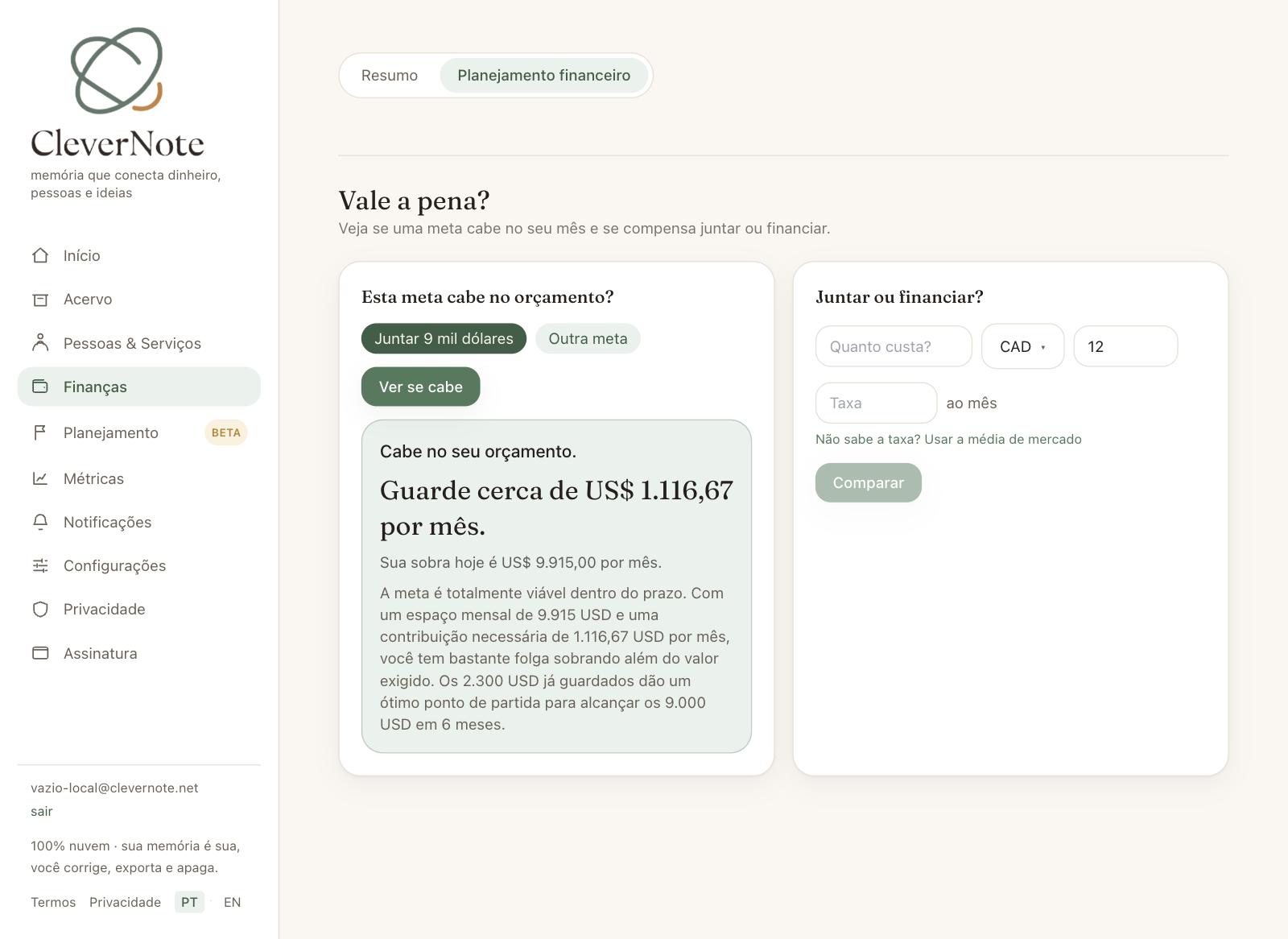
Save up or finance?
Buying something in installments? Enter the price, the number of installments and the rate you were quoted. CleverNote Finance shows the two routes side by side: what it costs to save up and pay cash, what it costs to finance, and how much you save by avoiding the interest. Zero-interest installments? It says that too: installments cost the same as paying upfront, the difference is only when the money leaves your pocket.
Not sure of the rate? For purchases in Brazilian reais, you can use the Brazilian market average (BCB), always labeled as a reference (it may not be your offer).
Goal in another currency? Today’s rate, honestly
A goal in one currency with a profile in another? CleverNote Finance converts at today’s exchange rate and warns you: the cost in your currency can move. A 10% rise in the goal’s currency becomes a concrete number on screen, not a surprise later.
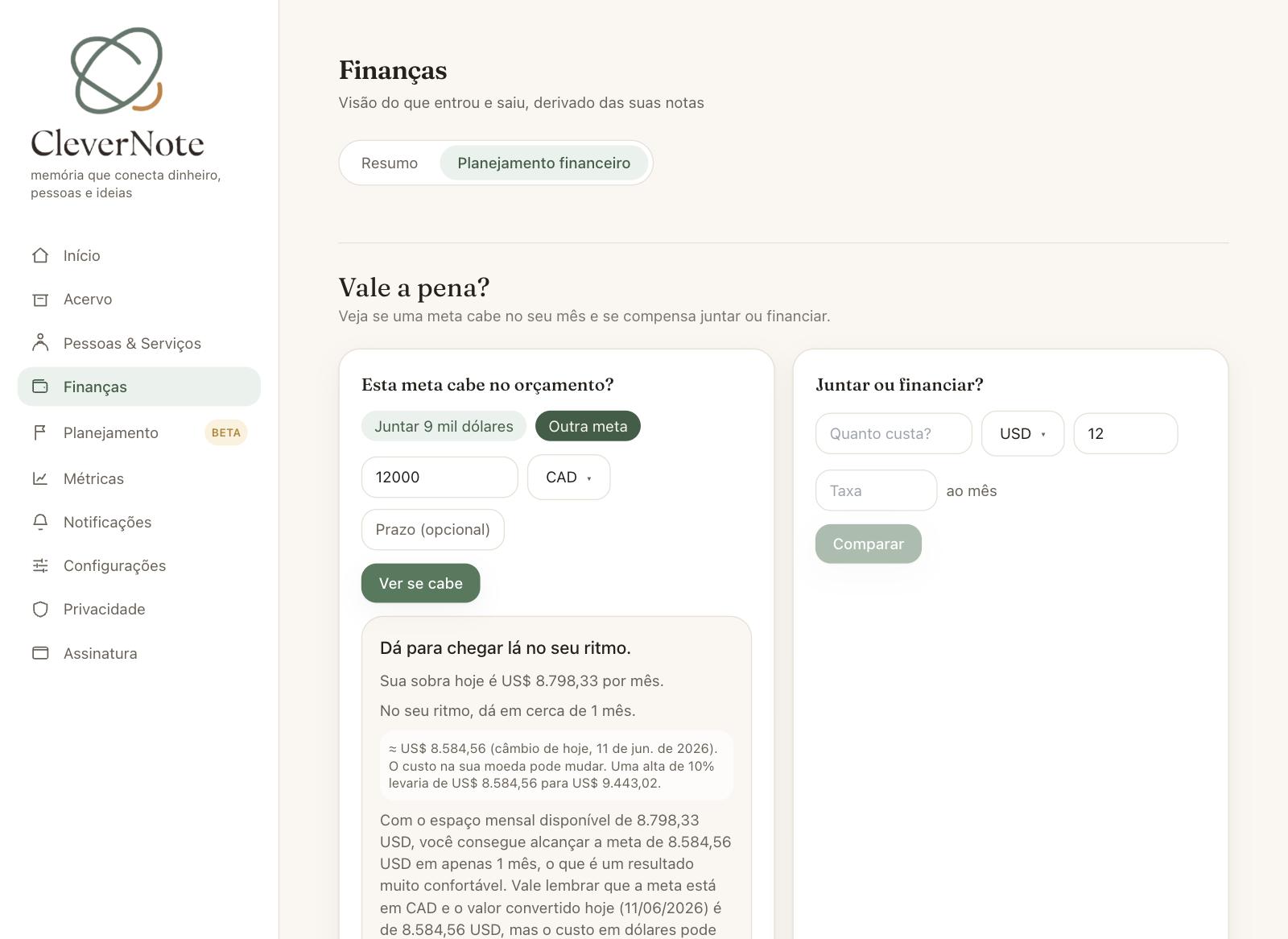
Real math, not an AI guess
Here is the detail we insist on explaining: the AI does not do the math. Every number (required contribution, interest, conversion) comes from deterministic financial formulas, the same ones a financial calculator uses. The AI only steps in to explain the result in language that makes sense.
And when the future is uncertain, CleverNote Finance shows a range (“between 11 and 18 months”), never an exact date faking a precision that does not exist.
How to try it
Open Finances, go to Financial planning and scroll to “Worth it?”. Fill in your financial profile first (income and fixed costs) if you have not yet: the honest answer comes from it. Available on the web and in the app, on the paid plan.
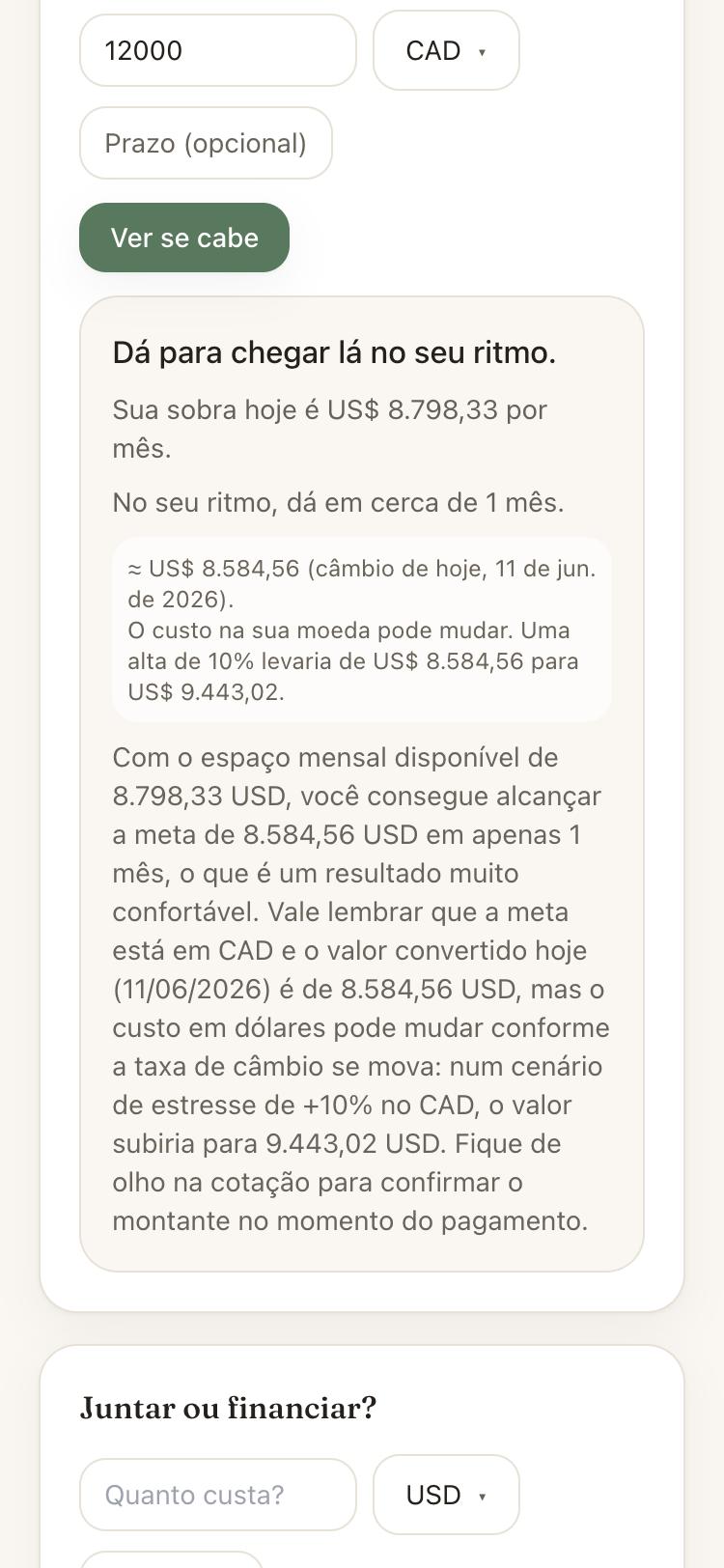
Next time the question comes up, you do not have to guess. CleverNote Finance does the math.
Frequently asked questions
- Does CleverNote Finance promise the exact date I reach my goal?
- No. When the result depends on the future, it shows a range ('between 11 and 18 months, depending on returns'). An exact date would fake a precision that does not exist.
- Does the AI do the math?
- No. The monthly contribution, the interest and the conversion come from deterministic financial formulas, the same ones a financial calculator uses. The AI comes in afterwards, only to explain the result in plain language.
- Where does the interest rate in the comparison come from?
- You enter the rate you were quoted. For purchases in Brazilian reais, you can use the Brazilian market average (BCB), always labeled as a reference: it may not be your actual offer.
- What if the goal is in another currency?
- CleverNote Finance converts at today's rate and warns that the cost in your currency can move, showing the effect of a 10% rise. It is today's quote, never a prediction.
- Is it part of the free plan?
- The Worth it? panel is part of the paid plan. On the free plan it appears read-only, without simulating.
Try the app from this guide with your CleverNote account.
Open CleverNote Finance
CleverNote Finance
