Notes + people + money

Remember what happened, who was involved, and what it cost.

CleverNote connects every note to the clients, providers, and amounts involved. Ask later and get the answer with the source.

Free to start No card required Every answer cites its source
Want it on your phone? Get it on Google Play See the iPhone and Android app.

Real question

“How much did I pay Bruno in March, and what was his number?”

You paid Bruno $240 on March 12. The phone number saved with the receipt is (403) 555-0142.

Source: Bruno's receipt Source: business-card photo

What you save

  • Notes and conversations
  • Receipts and bills
  • Contacts and providers
  • Photos, voice, email, and PDF

What gets connected

  • What happened
  • Who was involved
  • What came in or went out
  • The source behind each answer

Notes

Text, photos, voice, email, and PDFs preserve what happened.

People

Clients, providers, and companies get a useful shared history.

Money

Receipts, expenses, and income stay linked to the right note and person.

One practical memory

The context usually lost between three different apps.

A notes app Keeps what happened

Good at storing text, but it usually does not build the person's history or add up the money behind it.

Contacts or CRM Keeps who was involved

Good at names and fields, but the receipt, conversation, and reason for a payment live somewhere else.

A finance app Keeps what it cost

Good at totals, but it rarely remembers the agreement, document, provider, or note that explains the number.

CleverNote Connects all three

Ask what happened, who was involved, and what it cost. The answer comes back with the source.

CleverNote Finances Summary: money in and out from bank transactions and notes, monthly pulse, spending by category and top places, with tabs for planning and investments

Your money, added up for you

Your receipts become a dashboard. No spreadsheet.

Every receipt, transfer and bill you drop here becomes an entry with amount, date and category. CleverNote adds it all up and builds your month on its own: what came in, what went out, where it went. You fill in nothing, you just capture.

  • A receipt, a bill, or a voice note “spent 80 on groceries” becomes an entry on its own
  • Spending, income and balance for the month added up, no numbers typed
  • See where the money went: by category and by place, largest first

Connect your bank

Your bank logs itself. No typing.

On the Pro plan, connect a US or Canadian account and every transaction lands in your dashboard on its own, with amount, date, and category. CleverNote keeps it beside the notes and people that explain it. Read-only connection, via Plaid.

  • Transactions arrive on their own, no photo, no typing
  • CleverNote merges what came from your bank with what you noted, no duplicates
  • Read-only connection via Plaid: CleverNote never sees your password
CleverNote Bank accounts card: connect a US or Canada bank, read-only via Plaid
CleverNote Finances Investments tab: total invested and each account (TFSA, RESP, cash) read straight from the bank connection, read-only, updated on every sync

Investments, too

See what you hold, not just what you spend.

Connect a brokerage and CleverNote reads your holdings straight from the bank connection: total invested and each account, updated on every sync. Read-only, it never places a trade or moves a dollar.

  • Total invested and every account in one place
  • Read straight from your bank connection, updated on every sync
  • Read-only: CleverNote never trades or moves your money

How it works

Simple product, clear promise

No setup, no folders, no productivity course. You do three things: capture, ask, and correct. It handles the rest.

1. Capture

No manual organization first

Write, photograph, record voice, attach PDFs. The note is usable immediately; AI settles after.

2. Ask

Answers with sources

Ask what happened, who was involved, and what it cost. CleverNote crosses the pillars and cites the notes behind the answer.

3. Correct

Trust comes from control

If AI misreads something, you fix it in one sentence. The product learns without erasing the original.

60 seconds: capture, ask, and get the answer with the source. Turn on the sound for narration.

Hands typing on a laptop, capturing an idea on the spot

Frictionless capture

Note it in the moment. Organize never.

Receipt at the register, idea on the bus, voice memo in the car, a contract PDF. Drop it however it comes. CleverNote reads, classifies, and connects on its own. No folders, no mandatory tags, no ritual.

  • A receipt photo becomes an expense with amount and date
  • A voice memo becomes searchable text
  • A scanned PDF is read by OCR
  • Search by meaning, not just the exact word
A conversation in CleverNote: a question about Bruno, an answer citing the sink-repair note, and a suggested next question

A conversation with your memory

Ask, and keep asking.

It's not keyword search or a one-shot question. It's a conversation: pull a thread and follow it. CleverNote anchors the answer in who matters (a person, a provider), cross-references notes, people, and money, and shows which source each answer came from.

  • Multi-turn chat: ask the next question without repeating context
  • Anchored to the right person or provider, not your whole archive
  • Cited answers, never hallucinated
  • It even suggests the next question worth asking
CleverNote web clipper connect screen: authorize the browser extension to save pages and snippets to your memory

Capture from anywhere

Send it, and it's memory. From any screen.

A receipt in your inbox, an article in your browser, a PDF on your phone. Send it to CleverNote without opening the app. The browser extension clips a page, a selection, or an image in one click; on your phone, you share from any app; from your inbox, you forward to a personal address and it becomes a note. It all lands in the same archive and becomes searchable text instantly.

  • Browser clipper: save the page, a selection, or an image
  • Share from your phone: a photo, PDF, or link from any app
  • Email-in: forward any email and it becomes a note (attachments become media)
  • Same archive, same search, same answers with sources
Email-in live Bookmarklet in any browser

Reminder

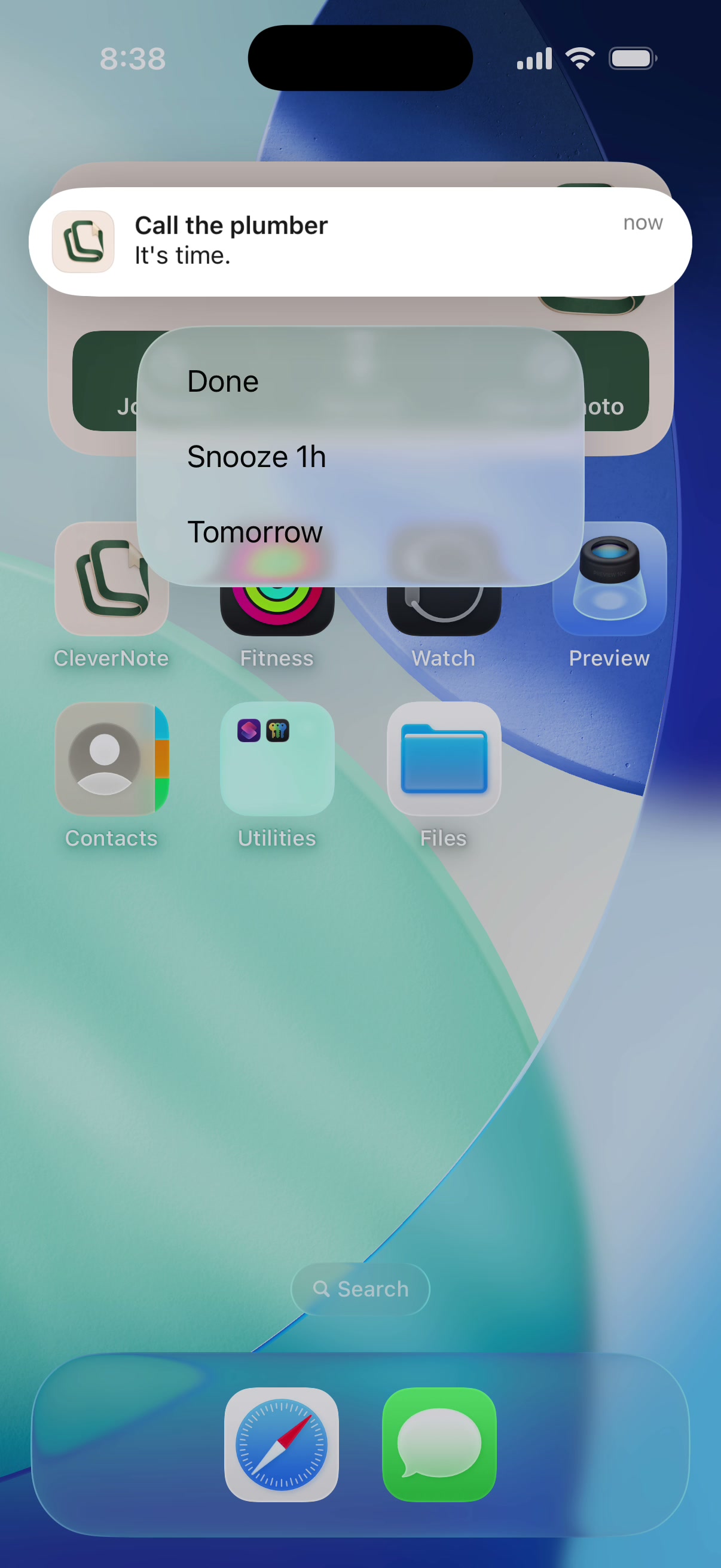
Renew car insurance: due Friday.

Pulled automatically from the policy photo.

Resurfaced for you

“Recipe app from what's in the fridge”, noted 3 weeks ago.

Brought back because it's worth a second look.

Memory that works on its own

It reminds you before you forget.

CleverNote doesn't just wait for you to ask. It reads deadlines and commitments in your notes and nudges you at the right time, and brings back the idea that deserved a second look.

  • Reminders pulled from the note itself, nothing to set up
  • Relevant notes resurface in the Alerts tab
  • Receipts and transactions don't resurface: only what needs attention

Financial plans

From your real spending to a plan that holds up.

CleverNote looks at what came in and went out and builds a budget by category or a savings goal, anchored on what you actually spend. You adjust it in one sentence and it tracks the progress on its own.

  • Budget by category, no generic spreadsheet rule
  • Goals and emergency fund: the AI estimates how much, you see how far is left
  • Tracks your pace and warns you when you drift off

Budget

Restaurants: $250 of $800 this month.

Cap suggested by CleverNote from your spending.

Goal

Emergency fund: $12k, on pace to get there.

You save, it counts what's left.

CleverNote partnership screen on iPhone: invite whoever shares life with you

Memory for two

One memory, two logins.

Invite whoever shares life with you: a partner, family, or a business partner. Each one signs in with their own login, but you both see the same corpus and tend it together. Notes, people, and money stay in the same context, and you can always tell who added what.

  • Each with their own login, no shared password
  • One corpus: what one adds, the other asks about and finds
  • Every note, reminder, and expense shows who added it, by color
  • Ended the partnership? Each one keeps a full copy

One memory, three strands

Notes, people, and money. Finally in the same context.

Finance apps lose the context. Notes apps do not add up your spending. CleverNote crosses all three and answers.

A receipt becomes an expense A business card becomes a contact An idea comes back when it matters

CleverNote does the homework

Not just storing. Understanding.

Every note arrives already digested: summarized, linked to the others, and ready to become a question.

Instant summary

One-tap TL;DR

Long note, PDF, or transcribed audio: ask for the summary and read the gist in seconds.

Notes that pull each other

Everything connects

Open a note and see the related ones: same person, same expense, same idea.

Suggested questions

Not sure what to ask?

Your memory suggests questions it can already answer. Tap a chip and see the answer.

Ask things like

Your memory, your way

Three strands that meet in one place: notes, people, and money.

Money

  • “How much have I spent on the renovation so far?”
  • “What was the last payment to the accountant?”

People

  • “What's the contact for the plumber who came in March?”
  • “What did I agree with Ana about the trip?”

Ideas

  • “Which books were recommended to me this year?”
  • “Bring back the app idea I noted last week.”

Trust

Read-only. Honest. Yours to leave anytime.

CleverNote reads your transactions to answer your questions. It never moves money, never offers a loan, never sells your data. The bank connection is read-only, through Plaid, so CleverNote never sees your password. Cancel in one click and export everything. The privacy policy is public and reads in five minutes.

Read-only via Plaid No loans, ever Cancel in one click Export or delete anytime

Already live

Full export, total deletion, explicit retention, processor disclosure, and a bilingual app.

How to verify

Read Privacy and Terms. Nothing is hidden behind login.

Built on providers you know

Anthropic OpenAI Stripe Resend Plaid full sub-processor list

iPhone & Android

Capture gets better in your pocket

The mobile app uses the same memory and API as the web app: photograph a receipt, record a thought, attach a PDF, ask later. Here's a preview of the screens. Android is already live on Google Play; iPhone is still on TestFlight.

Library screen: search by meaning and notes with tags
Library + search by meaning
Chat screen: a cited answer and a suggested next question
Chat with the source
Finances screen: income and outflow derived from your notes
Finances, no spreadsheet
People screen: contacts and providers extracted from your notes
People & providers

The Android app is now live on Google Play. The iPhone app is still in final testing on TestFlight.

Frequently asked

FAQ

What is CleverNote? +

Your practical-life memory. Save a note, receipt, document, or contact, and CleverNote remembers what happened, who was involved, and what it cost, then answers with the source.

Can CleverNote move my money or take out a loan? +

No. The bank connection is read-only, through Plaid, so CleverNote only reads your transactions to answer your questions. It never moves money, never lends, and never offers cash advances.

How do I cancel? +

In one click, from your account. You keep access to your data, and you can export everything or delete it whenever you want.

Do I need to be in the US or Canada? +

Only the automatic bank connection is US and Canada, through Plaid. Everything else (snapping receipts, asking questions, tracking people and bills) works anywhere.

How is it different from a regular notes app? +

You don't have to organize first. CleverNote connects notes, people, and money and answers your questions by citing your own sources.

Does it help me plan my money? +

Yes. From your spending and income, the AI builds a budget by category or a savings goal (like an emergency fund), anchored on what you actually spend. You adjust it in one sentence and track the progress in the Plans tab, inside Finances.

Is my data private? +

Yes. It's 100% cloud with explicit governance: export everything, correct what the AI understood, and delete note by note or your whole account. The privacy policy is public.

Can I share my memory with another person? +

Yes. You invite whoever shares life with you (a partner, family, or a business partner) by email. Each one signs in with their own login, but you both see the same corpus and contribute together, and every note, reminder, and expense shows who added it. If the partnership ends, each one keeps a full copy of the corpus, on their own plan.

How much does it cost? +

There's a free plan with 15 notes and 30 questions per month. Plus is US$ 4.99/mo (unlimited) and Pro US$ 7.99/mo (with bank connection), both with a 15-day trial. Your library is never locked.

Does it work on iPhone and Android? +

The Android app is now live on Google Play. The iPhone app is still in final testing on TestFlight. Both use the same memory and the same API as the web app.

Does CleverNote remind me of things? +

Yes. It extracts deadlines and commitments from your notes and reminds you at the right time, and it brings back ideas worth a second look, all in the Alerts tab. Receipts and transactions don't resurface: only what needs attention.

Can I have a conversation, not just ask once? +

Yes. The conversation keeps its thread: ask the next question without repeating context. And when you ask about a person or provider, the answer anchors to their notes.

Can I capture straight from the browser? +

Yes. Install the extension on Google Chrome (also Brave and Opera) or Microsoft Edge: one click saves the page, a selection or an image to your archive, or use right-click on the page. In any other browser, a bookmarklet does the same with no install, waiting for you to drag to your bookmarks bar in Settings once you create your free account. On your phone, you share from any app. It all lands in the same place, searchable instantly.

Can I forward email to CleverNote? +

Yes. Every account gets a unique personal address (shown in Privacy inside the app). Forward an email and it becomes a note; attachments (photos, PDFs, audio) come in as media. For safety, only forwards from your own email are accepted; other addresses you forward from can be registered in Account.

What if the AI gets something wrong? +

You correct it in one sentence and the original is never erased. The product answers the right way from then on.

Pricing

Start free. Upgrade when you want more.

Monthly, no annual commitment. Try everything for 15 days, then stay free, get Plus for unlimited capture, or Pro to connect your bank. Cancel in one click, your library is never locked.

Free

US$ 0

15 notes and 30 questions per month. No card. Your library stays accessible forever.

Start free

Plus

Popular

US$ 4.99/mo

Unlimited capture and chat, chat with citations, one-sentence correction, portable export, and total deletion.

Pro · US$ 7.99/mo: everything in Plus and connect your bank (auto-import transactions and net worth).

Get Plus

Get started

Start your practical-life memory, free.

Save a note, receipt, or contact. CleverNote connects who, what, and how much, then answers with the source.

Free plan No card Export or delete anytime